
When someone searches for your business online, what do they see?
If you don’t have a Google Business Profile, the answer might be: not much. Or worse, they may find incomplete or outdated information from third parties. That means missed opportunities, lost trust, and potential customers choosing your competitors instead.
The good news? Creating a Google Business Profile is free and one of the most powerful ways to boost your visibility online.
What You’ll Learn
- Why a Google Business Profile is critical for local business success
- The benefits of having an updated, optimized profile
- Step-by-step instructions to create one today
Why a Google Business Profile Matters
Think of your Google Business Profile as your digital storefront on Google. It’s what shows up when someone searches for your business name—or even for services you offer in your area.
Here’s what it can do for you:
- Appear on Google Maps so customers can easily find and contact you.
- Display reviews and ratings that build trust with potential customers.
- Showcase photos of your location, products, or services.
- Highlight key info like hours, phone number, and website—without someone having to dig.
Without it, you’re essentially invisible in one of the most important places people look for businesses.
How a Profile Builds Trust
Customers want to know:
- Are you open right now?
- Do other people recommend you?
- What does your shop, office, or service look like?
A strong Google Business Profile answers those questions instantly. And the truth is, when someone sees two businesses side by side—one with photos, reviews, and up-to-date info, and one without—it’s clear which one they’ll choose.
How to Create Your Google Business Profile
The process is straightforward:
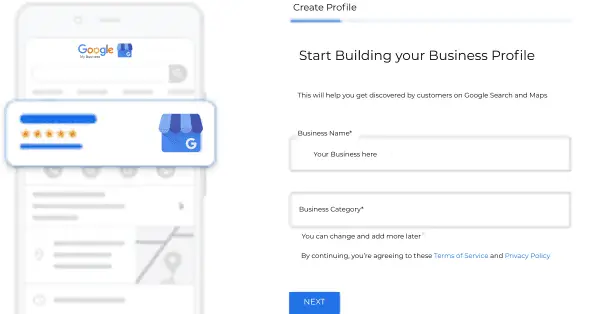
- Go to Google Business Profile Manager (https://business.google.com).
- Sign in with your business email address.
- Enter your business name and check if a profile already exists.
- Add your business details: address, phone number, website, and business category.
- Verify your business (Google may send a postcard, email, or phone verification. In rare instances, Google requires a video verification.
- Add photos and a description to make your profile more appealing.
- Encourage reviews by asking happy customers to leave feedback.
That’s it! With a little time, your profile can start working for you.
The Hidden Cost of Ignoring It
If you don’t claim and maintain your Google Business Profile, here’s what can happen:
- Competitors appear instead when people search for your services.
- Incorrect information spreads, leading to frustrated customers.
- You miss out on free visibility that could drive foot traffic, calls, and website visits.
It’s like leaving your storefront dark while the shop across the street has a glowing “Open” sign.
Focus on Visibility, Protect Your Business
Your Google Business Profile is one of the simplest, most effective marketing tools available. But it’s just one piece of the bigger picture. To truly make it work, you need a website that’s secure, updated, and ready to turn visitors into customers.
That’s where we come in. At Glass Web Services, we not only maintain and protect your website—we also help small businesses strengthen their overall online presence, from website care to social media to tools like Google Business Profile’s.
👉 Don’t leave your business invisible. Contact Glass Web Services to help you build a stronger online presence that attracts, engages, and converts customers.


Leave a Reply